Maximise your miles, without the guesswork.
The right card, before you tap.
Ask your AI agent which card to tap. KiasuMiles answers from the cards you actually own.






Connect your app. Get your first answer.
Choose your app, connect KiasuMiles, then ask about a purchase. Keep using the same conversation to reuse your cards.
1. Which app do you use?
KiasuMiles ONLY works with AI assistants that can use external tools. Choose yours for the right setup.
2. Connect once
For AI agents such as OpenClaw, Hermes or Zo: copy the message below into your agent. It will attempt setup only if it can manage remote connections. This route has not been tested in every agent.
Install KiasuMiles directly in the ChatGPT app, including on iPhone. No manual connection settings needed.
- Open Plugins in the ChatGPT app, search for KiasuMiles and tap Install plugin. Complete any connection prompts.
- Start a conversation, type @, select KiasuMiles and send the message below.
Browse ChatGPT plugins. Already installed? Select @KiasuMiles in your conversation before sending the message below.
Already connected? Skip to your first question. The entry screen and server check were tested on Claude Pro on 12 September 2026; a fresh installation was not tested. Team and Enterprise users may need their workspace owner.
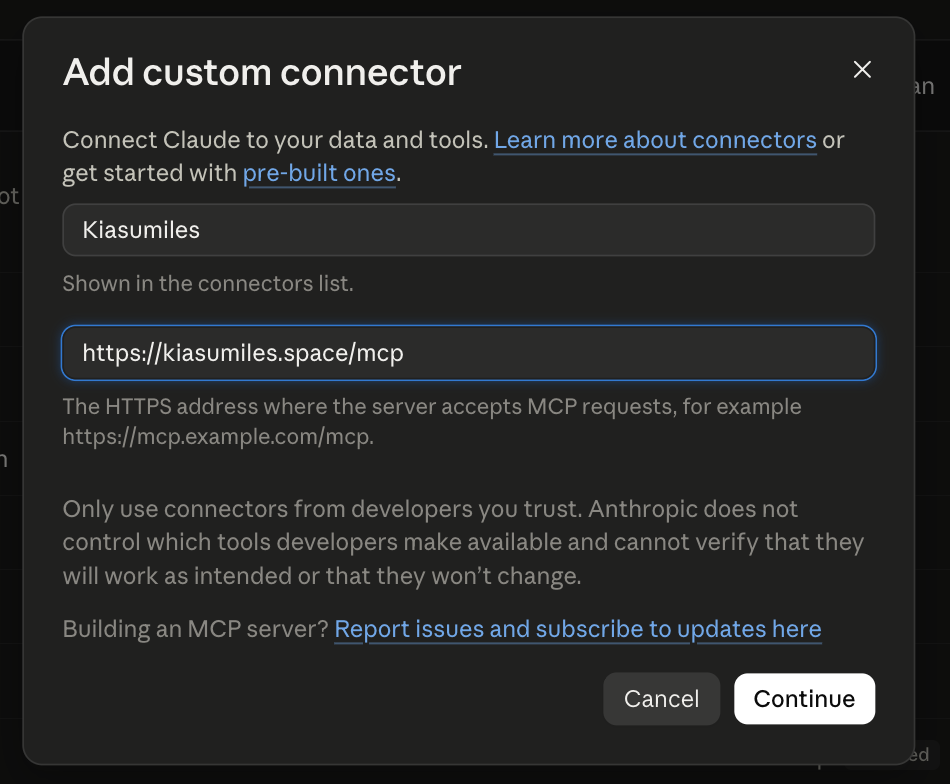
- In the Claude app, open Settings → Customise → Connectors → Add custom connector.
- Enter KiasuMiles as the name and
https://kiasumiles.space/mcpas the server URL. - Select Continue to check the server. If Claude says this URL already exists, cancel and use the existing KiasuMiles connector. Otherwise, review the next screen before adding it; the final creation step was not retested here.
- Start a new conversation, enable KiasuMiles from + → Connectors, and paste the prompt below.
Show Claude setup screenshot
With Codex CLI installed, run this in your terminal. The command was checked against the installed CLI; it adds a remote connection. The CLI and desktop app share it when they use the same Codex configuration.
Start a new Codex conversation and paste your first question below. If the tools are missing, check the connection with codex mcp list.
3. Ask about your first purchase
Add card names and a purchase, or leave these blank and your assistant will ask. Nothing entered here is saved by this page. Only enter card names, never card numbers or banking details.
Your cards. One answer.
KiasuMiles looks only at the cards you own, then gives you the best one for that shop, with the payment method and monthly cap spelled out.
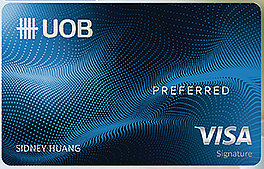
NTUC FairPrice · paying by phone
UOB Preferred Visa
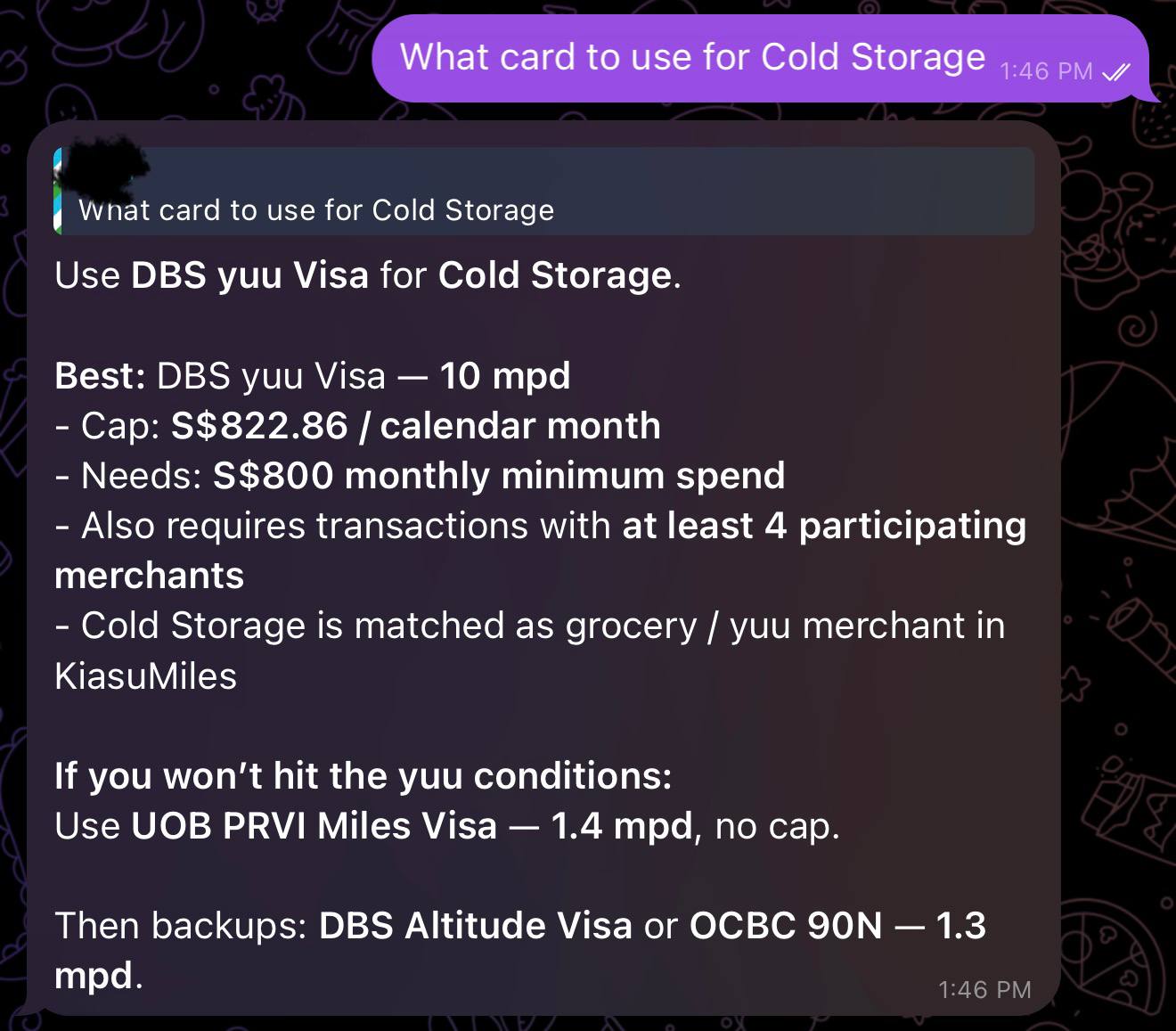
Ask, and you're done.
No spreadsheet at the counter. Tell your AI agent where you are and how you're paying, and it does the rest.
We never see your card numbers.
You tell your AI agent which cards you own. When you ask a question, it sends only the card names, never the numbers. KiasuMiles reads the rules, returns an answer, and does not store your card stack.
- Card names only, never the number, expiry, or CVV.
- Where your card list is stored is your agent's call, not ours.
Questions I get about KiasuMiles.
What is KiasuMiles?
I built KiasuMiles so your AI agent can pick the best card from the ones you own. It matches the merchant and payment method against Singapore credit-card miles rules, then returns the conditions and a fallback.
Will it work with my AI assistant?
KiasuMiles ONLY works with AI assistants that can use external tools. In ChatGPT, install the KiasuMiles plugin and select it with @. For Claude, Codex or other agents, follow their setup tab above.
Can I use it on my phone?
Yes, KiasuMiles works in the ChatGPT iPhone app. Open Plugins, search for KiasuMiles and install it. In a conversation, type @, select KiasuMiles and ask it to run through the setup with you. Plugin availability may vary by account, plan and region.
Do I need to configure a connection in ChatGPT?
No manual configuration is needed. Install KiasuMiles from Plugins and complete any connection prompts, then select @KiasuMiles in your conversation. You do not need Developer mode or a server URL.
Does KiasuMiles store my cards?
For each lookup, your agent sends the card names you confirmed. The hosted service returns an answer without keeping a wallet. We never receive your card number, expiry date, or CVV.
How accurate are the recommendations?
I keep the card rules and merchant matches updated, but banks change their terms and merchants sometimes process payments under an unexpected category. Check the conditions and fallback before you tap.
What if a merchant or card rule looks wrong?
Send me feedback through Telegram with the merchant name, outlet, and how you paid. Leave out your card number and any personal payment details.